
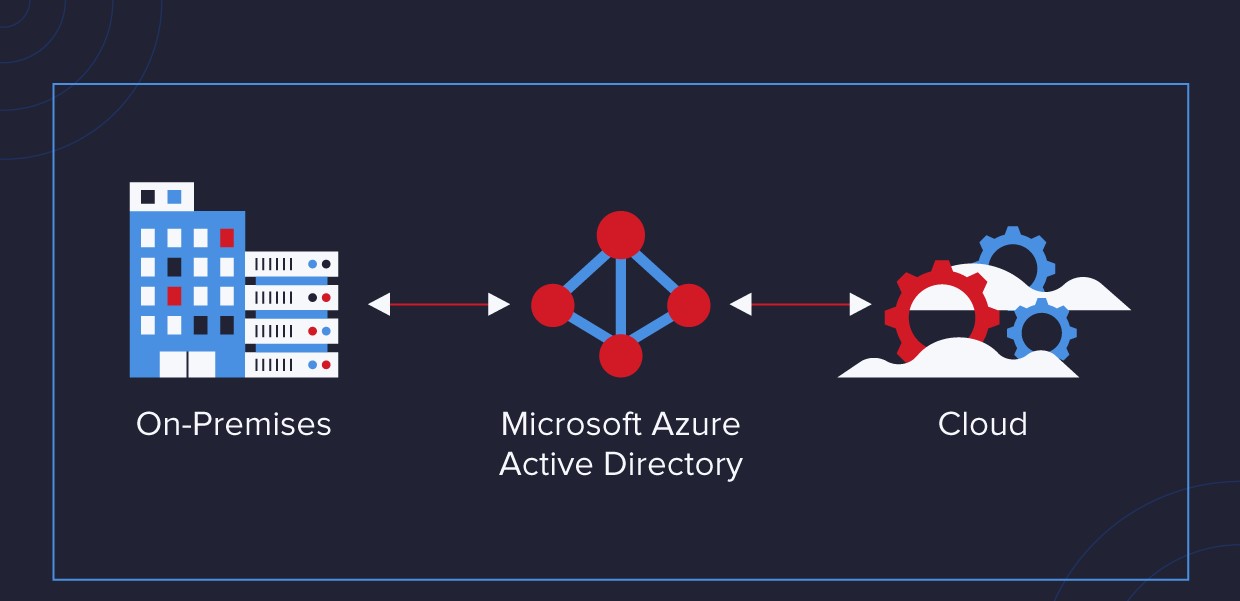
Getting Started with Azure Active Directory
Microsoft Entra ID (formerly Microsoft Entra ID) is a cloud-based identity and access management service that helps organizations manage users, groups, and applications. With Microsoft Entra ID, you can control access to your applications and resources, enforce multifactor authentication, and integrate with external identity providers. In this blog, we will discuss the features and benefits of Microsoft Entra ID and provide a comprehensive example of how to use Microsoft Entra ID to manage users and access to applications.
Microsoft Entra ID (formerly Microsoft Entra ID) Features and Benefits
Centralized User Management:
With Microsoft Entra ID (formerly Microsoft Entra ID), you can manage user accounts and permissions from a centralized location. You can create and manage user accounts, assign roles and permissions, and enforce security policies. This eliminates the need to manage users separately for each application and simplifies the user management process.
Single Sign-On (SSO):
Microsoft Entra ID (formerly Microsoft Entra ID) provides single sign-on (SSO) capabilities, allowing users to sign in to multiple applications and services with a single set of credentials. This reduces the number of passwords users have to remember and simplifies the authentication process.
Multi-Factor Authentication:
Microsoft Entra ID (formerly Microsoft Entra ID) supports multifactor authentication (MFA), which adds an extra layer of security to user sign-ins. With MFA, users must provide two or more authentication factors to access an application or resource, such as a password and a verification code sent to their phone.
External Identity Providers:
Microsoft Entra ID (formerly Microsoft Entra ID) can be integrated with external identity providers, such as social media accounts or other corporate directories, to provide a unified authentication experience. This allows users to use their existing credentials to access your applications and resources.
Application Management:
Microsoft Entra ID provides application management capabilities, allowing you to manage access to your applications and resources. You can assign users and groups to applications, enforce security policies, and monitor usage.
Reporting and Analytics:
Microsoft Entra ID provides reporting and analytics capabilities, allowing you to monitor user activity and access to your applications and resources. You can view reports on user activity, sign-in activity, and more to help you identify potential security issues.
Deploy and manage Azure resources
Example: Managing Users and Access to Applications with Microsoft Entra ID
To illustrate how Microsoft Entra ID can be used to manage users and access to applications, let’s consider an example. Suppose we have a small business with 50 employees and three applications: a CRM system, a document management system, and a payroll system. We want to use Microsoft Entra ID to manage user accounts and access to these applications.
Step 1: Set up Microsoft Entra ID
The first step is to set up Microsoft Entra ID. We create an Microsoft Entra ID tenant and add our users to the directory. We can create users one at a time or use Microsoft Entra ID Connect to synchronize our on-premises Active Directory with Microsoft Entra ID.
Step 2: Configure Applications
Next, we need to configure our applications to use Microsoft Entra ID for authentication. We can do this by registering each application in Microsoft Entra ID and configuring the appropriate authentication settings.
Step 3: Assign Users to Applications
Once our applications are configured, we can assign users and groups to each application. We can assign users and groups to applications individually or create application groups and assign them to applications.
Step 4: Enforce Security Policies
We can enforce security policies for each application, such as requiring multifactor authentication or blocking access from specific locations. We can also set up conditional access policies to control access to applications based on user and device conditions.
Step 5: Monitor Usage and Activity
Finally, we can use Microsoft Entra ID’s reporting and analytics capabilities to monitor user activity and access to our applications. We can view reports on user activity, sign-in activity, and more to help us identify potential security issues.
Conclusion
Microsoft Entra ID is a powerful identity and access management service that can help organizations manage users, groups, and applications in a centralized location. With Microsoft Entra ID, you can control.
Microsoft Entra ID (formerly Microsoft Entra ID)
Originally published on Solution Savy. Need help with this? Book a consultation.
Explore the Azure Security Deep Dive series for related cloud security and recovery guidance.