
Moving servers, files or apps into Microsoft Azure does not make them secure by default. Microsoft secures the physical datacentres and the platform itself, but who can sign in, what is exposed to the internet, how data is encrypted and who watches the alerts remain decisions you have to make. Microsoft calls this the shared responsibility model.
Part 1 of the Azure Security Deep Dive series is a plain map of the main Azure cloud security services: what each one protects, when you need it, and a realistic order to adopt them. It is based on Microsoft Learn documentation, not on a specific customer environment — confirm licensing, pricing and regional availability for your own subscription before you deploy.
1. Start with the shared responsibility model
With infrastructure as a service (virtual machines), you are responsible for the operating system, patching, network rules, identities and data. With platform services such as Azure App Service or Azure SQL Database, Microsoft takes on more of the operating system and runtime, but your identities, access settings and data are still yours. In every model, accounts and data are the customer's responsibility.
That is why most Azure security incidents in small businesses are not exotic attacks on Microsoft. They are an exposed remote desktop port, an administrator account without MFA, a storage account left public, or backups that nobody has tested.
2. Identity: Microsoft Entra ID, RBAC and PIM
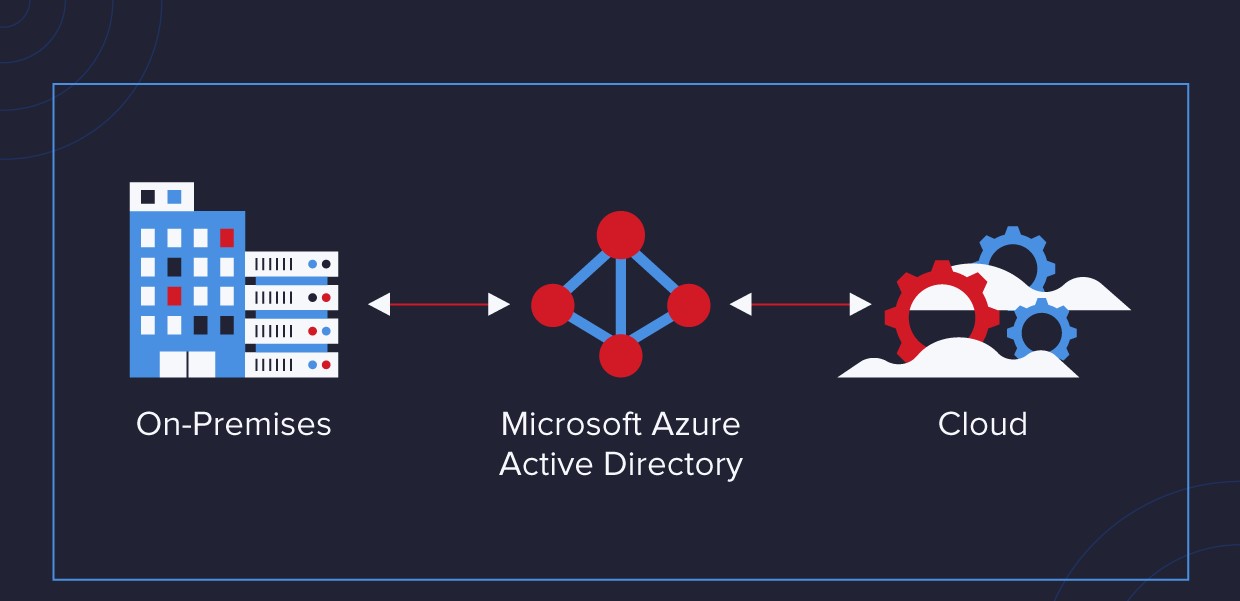
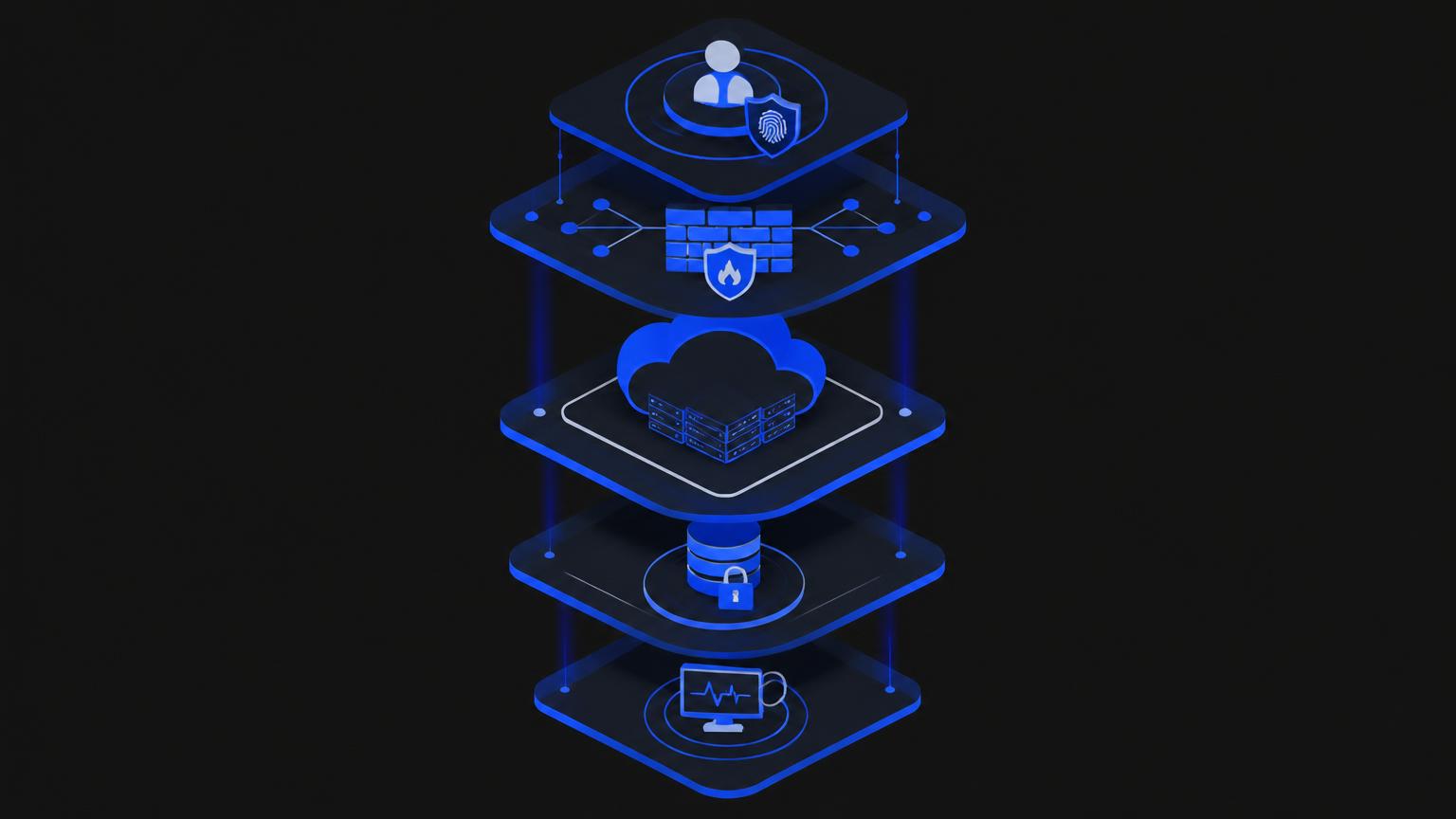
Identity is the front door of Azure. Microsoft Entra ID (formerly Azure Active Directory) handles sign-in, and Conditional Access policies decide when MFA or a compliant device is required. Azure role-based access control (RBAC) then decides what each person or app can do on which subscription, resource group or resource.
Require MFA for every account that can manage Azure, with no exceptions for 'temporary' admins.
Grant roles at the smallest sensible scope — a resource group rather than the whole subscription.
Use Privileged Identity Management (PIM, an Entra ID P2 feature) so admin roles are activated just in time instead of held permanently.
Prefer managed identities for apps instead of passwords or keys stored in code.
3. Network: NSGs, Azure Firewall, DDoS Protection and Bastion
Network security groups (NSGs) are basic allow/deny rules on subnets and network interfaces, and they are free. Azure Firewall is a managed, stateful firewall for central filtering and logging across virtual networks. Azure DDoS Protection adds tuned mitigation for public IP addresses beyond the platform's default infrastructure protection. Azure Bastion lets administrators reach virtual machines through the Azure portal without exposing RDP or SSH to the internet.
For most small environments, the quickest win is simple: no virtual machine should have RDP (3389) or SSH (22) open to the whole internet. This Azure PowerShell check lists inbound NSG rules that allow those ports from any source:
# Azure PowerShell (Az module) — read-only check
Connect-AzAccount
Get-AzNetworkSecurityGroup | ForEach-Object {
  $nsg = $_
  $nsg.SecurityRules | Where-Object {
    $_.Direction -eq 'Inbound' -and $_.Access -eq 'Allow' -and
    $_.SourceAddressPrefix -in @('*','Internet','0.0.0.0/0') -and
    ($_.DestinationPortRange -match '^(\*|22|3389)$')
  } | Select-Object @{n='NSG';e={$nsg.Name}}, Name, DestinationPortRange, SourceAddressPrefix
}
The check is deliberately simple: it does not expand port ranges or multiple-prefix rules, so treat an empty result as a good sign rather than proof.
4. Data: encryption, Key Vault and storage settings
Azure encrypts data at rest in services such as Azure Storage and managed disks by default with Microsoft-managed keys. Azure Key Vault stores secrets, certificates and keys so they are not scattered across scripts and config files, and it supports customer-managed keys when regulation or policy requires you to control them.
In practice, the risky settings are usually access settings rather than encryption: storage accounts that allow anonymous blob access, shared keys handed out widely, or databases reachable from any public IP. Private endpoints and firewall rules on each service close those doors.
5. Posture: Microsoft Defender for Cloud and Azure Policy
Microsoft Defender for Cloud continuously assesses your subscriptions against the Microsoft cloud security benchmark and gives you a Secure Score with prioritised recommendations. The foundational posture features are included at no extra charge; paid Defender plans add threat protection for specific workloads such as servers, storage, SQL and containers.
Azure Policy enforces rules so problems are prevented rather than found later — for example, allowing resources only in approved regions, requiring tags, or denying storage accounts with public access. Defender for Cloud tells you what is wrong; Azure Policy stops it happening again.
6. Monitoring: Azure Monitor and Microsoft Sentinel
Azure Monitor and Log Analytics collect activity logs, sign-in logs and resource diagnostics. Microsoft Sentinel is Microsoft's cloud SIEM and SOAR service: it correlates those logs, raises incidents and can run automated playbooks. Logs nobody reviews give a false sense of safety, so decide early who looks at alerts and how quickly.
7. Recovery: Azure Backup and Azure Site Recovery
Security also means getting back to work after something goes wrong. Azure Backup protects virtual machines, files and databases with features such as soft delete and immutable vaults that help against ransomware deleting your backups. Azure Site Recovery replicates workloads to another region so you can fail over during an outage. We will cover both in detail in Part 2 of this series.
A sensible order for small and mid-sized businesses
Week 1: MFA and Conditional Access for every Azure admin; review who holds Owner and Contributor roles.
Week 2: Close internet-exposed RDP/SSH; use Azure Bastion or a VPN for admin access.
Week 3: Turn on Defender for Cloud, read your Secure Score and fix the top recommendations.
Week 4: Check storage and database public access; move secrets into Key Vault.
Month 2: Confirm backups run and test a restore; decide whether Site Recovery is needed.
Month 3: Add Azure Policy guardrails and centralise logs for review or Sentinel.
None of these steps needs a large security team, but each needs an owner. If you would like a second pair of eyes on your Azure subscription, Solution Savy offers remote Azure security reviews for businesses in the US, UAE, Saudi Arabia and beyond — book a free consultation and we will walk through your Secure Score together.
References
Shared responsibility in the cloud
Introduction to Azure security
What is Azure role-based access control (Azure RBAC)?
What is Microsoft Entra Privileged Identity Management?
Azure DDoS Protection overview